Wi-Fi feels like magic. You open a laptop, tap a network name, type a password, and boom. Internet. But in offices, schools, hospitals, and hotels, that simple password can become a problem. That is where WPA2 Enterprise enters the story. Think of it as the bouncer, guest list, and secret tunnel system for serious Wi-Fi.
TLDR: WPA2 Enterprise is a more secure way to protect Wi-Fi networks. Instead of one shared password for everyone, each person logs in with their own username, password, certificate, or device identity. A special server checks who they are before letting them connect. It is common in businesses, schools, and other places that need strong security.
What Is WPA2 Enterprise?
WPA2 Enterprise is a Wi-Fi security method. It protects wireless networks by checking each user individually.
The “WPA2” part means Wi-Fi Protected Access 2. It is a security standard that encrypts Wi-Fi traffic. Encryption scrambles data so strangers cannot easily read it.
The “Enterprise” part means it is built for organizations. It is not just for one family router at home. It is for places with many users, many devices, and serious security needs.
With regular home Wi-Fi, everyone usually uses the same password. This is called WPA2 Personal. It works fine for homes and small spaces.
But imagine a company with 400 employees. If everyone uses the same Wi-Fi password, things get messy fast. What happens when one person leaves the company? Do you change the password for everyone? Do you update every phone, laptop, printer, tablet, and smart coffee machine? Ouch.
WPA2 Enterprise solves this. Each person gets their own login. If someone leaves, their access can be removed. Everyone else keeps working. No password panic. No office-wide Wi-Fi drama.
The Simple Idea
Here is the fun version.
Picture your Wi-Fi network as a cool club. WPA2 Personal is like giving one secret password to everyone in town. If the password leaks, anyone can walk in wearing sunglasses and acting confident.
WPA2 Enterprise is different. It has a door guard. The guard asks, “Who are you?” Then the guard checks a guest list. If you are on the list, you get in. If not, sorry buddy. No dancing near the router.
That “door guard” is usually a system called a RADIUS server. RADIUS stands for Remote Authentication Dial-In User Service. Yes, the name sounds old. That is because it is old. But it is still very useful.
The RADIUS server checks user identities. It can check usernames, passwords, digital certificates, or device information. If the user is approved, the network allows the device to connect.
WPA2 Personal vs WPA2 Enterprise
Let’s compare them side by side.
- WPA2 Personal: Everyone uses one shared Wi-Fi password.
- WPA2 Enterprise: Each user or device has its own login.
- WPA2 Personal: Best for homes and very small offices.
- WPA2 Enterprise: Best for businesses, schools, hospitals, and large teams.
- WPA2 Personal: Hard to control access for each person.
- WPA2 Enterprise: Easy to add, remove, and manage users.
The biggest difference is control. WPA2 Enterprise gives admins much more control. They can decide who connects, when they connect, and sometimes what they can access.
How Does WPA2 Enterprise Work?
Now let’s pop the hood. Do not worry. No scary math. No secret hacker cave required.
When you connect to a WPA2 Enterprise network, a few important things happen.
- Your device asks to join the Wi-Fi network.
- The access point says, “Hold on. Who are you?”
- Your device sends login information.
- The access point passes that information to the RADIUS server.
- The RADIUS server checks it.
- If you pass, the server says, “Let them in.”
- The network creates encryption keys for your session.
- You connect securely.
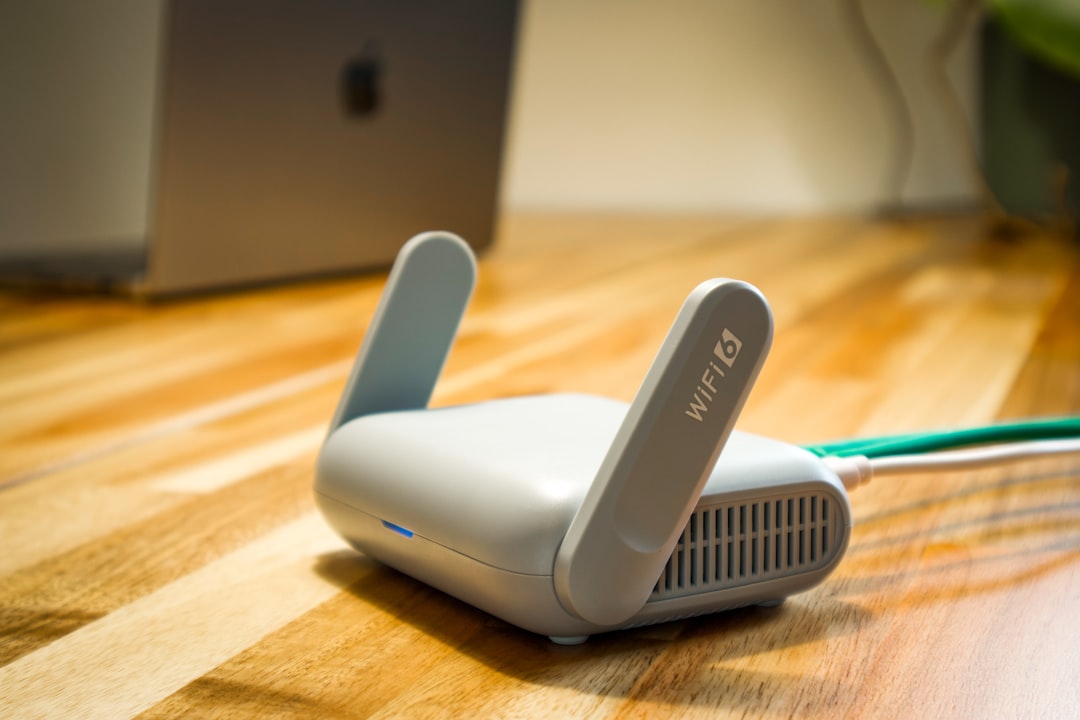
The access point is the Wi-Fi hardware. It is the thing that sends and receives wireless signals. It may look like a ceiling pancake, a small box, or a mysterious blinking spaceship.
The RADIUS server is the brain. It checks identities. It talks to a directory or database. In many companies, that directory may be Microsoft Active Directory, LDAP, Google Workspace, or another identity system.
The process uses a framework called 802.1X. This is the rulebook for port-based network access control. In plain English, it means: “Check the user before giving real network access.”
The Three Main Players
WPA2 Enterprise has three main characters. They sound fancy. But they are easy to understand.
- Supplicant: This is your device. It could be a laptop, phone, tablet, or barcode scanner.
- Authenticator: This is the Wi-Fi access point. It controls the doorway.
- Authentication server: This is the RADIUS server. It checks your identity.
The supplicant asks to enter. The authenticator blocks the door at first. The authentication server decides if the supplicant is trusted.
It is like a tiny security movie. Your laptop plays the hero. The access point plays the guard. The RADIUS server plays the wise judge in a tall chair.
What Is EAP?
You may also hear the term EAP. It stands for Extensible Authentication Protocol.
EAP is not one single login method. It is more like a box that can hold different login methods. Different organizations choose different EAP types.
Common EAP methods include:
- PEAP: Often uses a username and password inside a secure tunnel.
- EAP-TLS: Uses digital certificates. This is very strong.
- EAP-TTLS: Similar to PEAP, with flexible inner login options.
EAP-TLS is often considered the gold star method. It uses certificates instead of just passwords. A certificate is like a digital ID card. It is hard to fake when set up correctly.
Passwords can be guessed, stolen, or reused. Certificates are tougher. That is why many security teams love them. They are less fun at parties, but very good at their job.
Why Is WPA2 Enterprise More Secure?
WPA2 Enterprise has several security advantages.
- No shared password: One leaked password does not expose everyone.
- Individual access: Each user can be managed separately.
- Easy removal: Former employees can be blocked quickly.
- Better logging: Admins can see who connected and when.
- Stronger authentication: Certificates and identity systems can be used.
- Unique encryption keys: Sessions can get their own keys.
That last point matters. With WPA2 Enterprise, users do not all rely on the same basic shared secret. The network can create unique encryption material for each session. This makes snooping harder.
It also helps with accountability. If a device does something strange, admins can often trace it to a user or device identity. That is much better than saying, “Well, someone used the office Wi-Fi password.”
Where Is WPA2 Enterprise Used?
You can find WPA2 Enterprise in many places.
- Corporate offices
- Universities
- Schools
- Hospitals
- Government buildings
- Warehouses
- Hotels with staff networks
- Large retail stores
It is especially useful when lots of people come and go. Students graduate. Staff changes. Contractors visit. Devices get replaced. WPA2 Enterprise helps keep order in the wireless jungle.

Is WPA2 Enterprise Hard to Set Up?
It is harder than typing one password into a router. That is true.
You need a few pieces:
- Wi-Fi access points that support WPA2 Enterprise
- A RADIUS server
- A user database or identity provider
- Client devices configured to connect correctly
- Certificates, if using certificate-based login
For a small home network, this is usually too much. It is like buying a forklift to move one sandwich.
For a business, it makes sense. The setup takes planning. But after that, user management becomes cleaner. Add a new employee? Give them an account. Remove an old employee? Disable the account. Done.
What Happens When Someone Leaves?
This is one of the best parts.
With WPA2 Personal, if someone leaves and knows the Wi-Fi password, they may still connect later. To stop that, you need to change the shared password. Then everyone must update their devices. This is annoying. Very annoying.
With WPA2 Enterprise, you disable that person’s account. Or you revoke their certificate. Their access stops. Other users do not need to do anything.
It is like removing one name from the guest list instead of replacing the whole nightclub door.
Does WPA2 Enterprise Encrypt Data?
Yes. WPA2 Enterprise encrypts wireless data between the device and the access point.
Encryption helps protect data from people nearby who may try to listen to Wi-Fi traffic. Without encryption, wireless data could be easier to capture. With encryption, it becomes scrambled and much harder to read.
However, Wi-Fi encryption is only one layer. It protects the wireless link. You should still use secure websites, VPNs when needed, strong passwords, and good device security.
Security works best as a team sport. WPA2 Enterprise is a strong player. But it should not be the only player on the field.
What Are the Downsides?
WPA2 Enterprise is great, but not perfect.
- More complex setup: It needs extra systems and planning.
- Certificate management: Certificates can be tricky if used.
- User support: Some users may need help connecting.
- Server dependency: If authentication services fail, logins may fail.
- Configuration mistakes: Bad setup can weaken security.
Still, these problems are manageable. Many organizations use cloud services or managed network tools to make it easier. Good documentation also helps. So does coffee.
Is WPA2 Enterprise the Same as WPA3 Enterprise?
No. WPA3 Enterprise is newer. It offers stronger security options. It can use more modern encryption and better protection in some cases.
But WPA2 Enterprise is still widely used. Many devices support it. Many networks still depend on it. It remains a common and practical choice.
If an organization can move to WPA3 Enterprise, that may be a good future goal. But WPA2 Enterprise is not some dusty dinosaur. It is still doing real work every day.
Who Should Use WPA2 Enterprise?
Use WPA2 Enterprise if you need control, tracking, and stronger access security.
It is a good fit if:
- You have many users.
- People join and leave often.
- You need separate access for staff, guests, and devices.
- You care about logs and accountability.
- You want to avoid shared Wi-Fi passwords.
- You already use an identity system.
It may be too much if you only have a home router and five devices. In that case, WPA2 Personal or WPA3 Personal may be enough. Use a strong password. Do not name your network “Free Candy Van.” Please.
Final Thoughts
WPA2 Enterprise is not magic. But it can feel magical when managed well. It turns Wi-Fi from a shared-password free-for-all into a controlled, identity-based system.
Instead of asking, “Does this person know the password?” it asks, “Is this person allowed here?” That is a much better question.
For homes, it is usually overkill. For organizations, it is often a smart move. It keeps access cleaner. It improves security. It makes life easier when people come and go.
So the next time your work Wi-Fi asks for a username, password, or certificate, remember what is happening behind the curtain. A tiny security team of devices is checking your digital ID. The Wi-Fi bouncer is doing its job. And if all goes well, you get in, connect fast, and continue your noble quest of sending emails, joining meetings, and pretending the printer is not haunted.