Creating a podcast is easier than ever thanks to platforms like Anchor, but producing a great podcast that sounds professional and reaches the right audience requires more than simply hitting “record.” The Anchor podcast app includes several powerful settings that directly influence your audio quality, discoverability, and listener engagement. Yet many creators overlook these tools, leaving growth and clarity on the table. By understanding and optimizing a few key settings, you can dramatically elevate both production value and reach.
TLDR: If you want clearer audio and more listeners, start by optimizing recording quality, enabling noise reduction, refining distribution settings, and leveraging analytics tools inside Anchor. Proper format and file settings ensure better playback across platforms. Smart distribution increases your visibility on Spotify and beyond. Finally, metadata and audience insights help your show grow strategically and sustainably.
Below are four essential Anchor podcast app settings you should review and optimize today.
1. Recording and Audio Quality Settings
Your podcast’s success begins with how it sounds. Even compelling content can be abandoned quickly if the audio is muffled, distorted, or inconsistent. Anchor provides internal tools that allow you to improve sound quality before publishing.
Key areas to optimize:
- Recording Format and Bitrate
- Microphone Input Selection
- External Recording Import Settings
- Volume Normalization
Always select the highest available recording quality in your device settings before recording within the app. If you record externally and upload to Anchor, choose WAV or high-quality MP3 files (at least 192 kbps) to prevent audio compression artifacts.
Volume normalization is particularly critical. When enabled, it balances quieter and louder sections so listeners don’t constantly adjust their device volume. This results in a more professional listening experience.
Pro Tip: Avoid recording in highly compressed formats twice. If you record in low bitrate and upload to a platform that compresses again, quality will noticeably degrade.
Why it matters:
- Improves listener retention
- Reduces listener fatigue
- Enhances perceived professionalism
- Prevents distortion across streaming platforms
Clean, balanced sound instantly builds trust with your audience.
2. Background Noise Reduction and Audio Enhancement
Even if you’re using a good microphone, background noise can undermine your podcast’s clarity. Anchor includes tools that help reduce ambient noise and optimize vocal quality.
Within editing tools, you can:
- Trim silence and awkward pauses
- Apply noise suppression filters
- Adjust segment-level volume
- Rearrange audio blocks for smoother flow
Noise reduction should be used carefully. Overprocessing can create artificial or metallic tones. Instead, aim for subtle enhancements that remove hums and consistent background noise without altering vocal warmth.
Best practice workflow:
- Record in a quiet space (soft furnishings reduce echo).
- Use a pop filter or windscreen.
- Apply light noise suppression during editing.
- Review final output using headphones.
These settings may seem small, but together they elevate the presentation. A crisp voice keeps listeners engaged longer, directly impacting algorithmic recommendations on platforms like Spotify.
3. Distribution and Platform Reach Settings
Audio quality alone won’t grow your audience—you need smart distribution. Anchor makes it easy to publish across multiple platforms, but you must ensure these settings are optimized.
Check these essential distribution settings:
- Enable automatic distribution to Spotify, Apple Podcasts, Google Podcasts, and others
- Review episode titles and descriptions
- Customize episode artwork
- Verify RSS feed details
Metadata is critical for discoverability. Make sure episode titles include relevant keywords while remaining natural and compelling. A descriptive summary improves search visibility and click-through rates.
Additionally, ensure your podcast category is accurate. Choosing the wrong category can severely limit discoverability. Anchor allows you to select primary and secondary categories—use both strategically.

Optimization tips for reach:
- Write 1–2 paragraph keyword-rich episode summaries
- Use episode tags when available
- Include timestamps for content navigation
- Create compelling episode cover images
Think of distribution settings as your podcast’s visibility engine. Even stellar content needs proper indexing to surface in search results and recommendation feeds.
4. Analytics and Audience Growth Settings
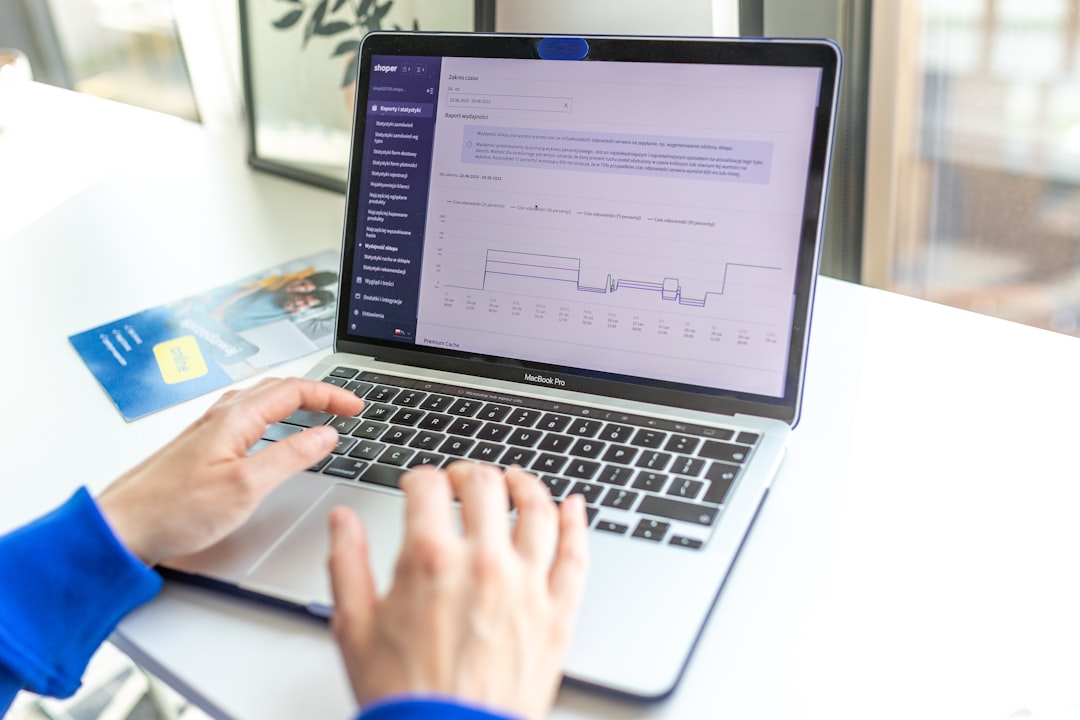
The fourth—and often most underutilized—setting category is analytics. Anchor’s built-in analytics provide critical data that can shape smarter content decisions.
Inside the dashboard, you can monitor:
- Total plays and trends over time
- Episode performance comparisons
- Listener demographics
- Platform breakdown (Spotify vs others)
- Listener retention metrics
Understanding where listeners drop off can help restructure episode formats. For example, if data shows significant drop-off after 20 minutes, you might tighten segments or move key discussions earlier.
Use analytics strategically:
- Double down on high-performing topics
- Experiment with episode length
- Adjust publishing schedule based on listener activity
- Track growth after promotional efforts
Remember: Optimization is an ongoing process. Review analytics monthly to refine your strategy and maintain consistent growth.
Comparison Chart: Key Anchor Settings at a Glance
| Setting Area | Main Purpose | Impact on Audio Quality | Impact on Reach |
|---|---|---|---|
| Recording Quality | Controls bitrate and clarity | High | Medium |
| Noise Reduction Tools | Enhances vocal clarity | High | Medium |
| Distribution Settings | Expands platform presence | Low | High |
| Analytics Dashboard | Guides strategic growth | Indirect | High |
Bonus Optimization Tips
Beyond the four core settings, a few additional tweaks can amplify your podcast’s professionalism:
- Intro and Outro Consistency: Use standardized audio branding.
- Episode Scheduling: Maintain consistent release times.
- Call to Action Placement: Place subscription reminders mid-episode.
- Transcriptions: Improve accessibility and SEO.
These supplementary improvements support the foundational settings described earlier.
Common Mistakes to Avoid
Even experienced podcasters sometimes mismanage app settings. Watch for these pitfalls:
- Publishing without previewing the final audio mix
- Using default titles like “Episode 12” without descriptive keywords
- Ignoring analytics for months at a time
- Overusing compression or noise suppression
Small oversights can compound and limit both growth and professionalism.
Bringing It All Together
Optimizing your Anchor podcast app settings is not about mastering complicated audio engineering—it’s about making intentional adjustments that improve clarity, discoverability, and listener experience.
By focusing on:
- High-quality recording formats
- Thoughtful audio enhancement
- Strategic distribution settings
- Data-driven growth decisions
You position your podcast for sustainable success.
In an increasingly competitive podcast landscape, quality and reach go hand in hand. The good news? Anchor provides the tools you need—if you know where to look and how to use them. Take time to review these settings today, refine your workflow, and commit to continuous improvement. Your listeners will hear the difference—and your numbers will show it.
Your voice deserves to be heard clearly and widely. Make sure your settings support that mission.