Data is one of the most valuable assets any individual or organization possesses. From personal photos and financial records to sensitive client information and business infrastructure, digital files power everyday operations. Yet hardware failures, cyberattacks, accidental deletions, and natural disasters continue to threaten that data. Without a reliable backup strategy, loss can be devastating. Fortunately, modern backup tools not only secure data but also automate copies and provide layered protection against unexpected events.
TLDR: Reliable backup tools protect critical data from hardware failure, cyberattacks, and accidental deletion. The best solutions automate backups, encrypt sensitive files, and allow fast recovery when disaster strikes. Three standout categories include cloud based backup services, local and image based backup software, and hybrid backup solutions. Together, they offer layered protection that minimizes downtime and prevents costly data loss.
Below are three powerful types of backup tools that help secure information, automate repetitive tasks, and ensure rapid recovery when it matters most.
1. Cloud Based Backup Services
Cloud backup services have become one of the most popular data protection methods in recent years. These tools automatically copy files, applications, and sometimes entire systems to secure remote data centers. By storing backup data offsite, they protect against risks such as hardware damage, theft, and natural disasters.

Key Features
- Automatic scheduled backups that run daily or in real time
- End to end encryption to keep data private during transfer and storage
- Version history for restoring previous copies of files
- Remote access from multiple devices
- Scalable storage for growing data needs
Cloud backup tools are especially valuable for small businesses and remote teams. Since backups occur automatically in the background, users do not need to remember to manually copy files. Many services also provide ransomware protection by retaining clean historical versions of files, allowing recovery if malicious encryption occurs.
Another strength lies in geographical redundancy. Most reputable cloud providers replicate data across multiple data centers. If one facility experiences an outage, another location can restore access quickly, minimizing disruption.
However, organizations should carefully evaluate internet speed and recovery time objectives. Large-scale restores may take time depending on bandwidth. Some providers offer expedited physical data shipment options to reduce downtime during major recovery events.
Best Use Cases
- Remote work environments
- Companies without onsite IT infrastructure
- Individuals wanting simple “set it and forget it” protection
- Teams needing file access across multiple devices
Cloud backups provide convenience and resilience, but they are often strongest when combined with additional backup layers.
2. Local and Image Based Backup Software
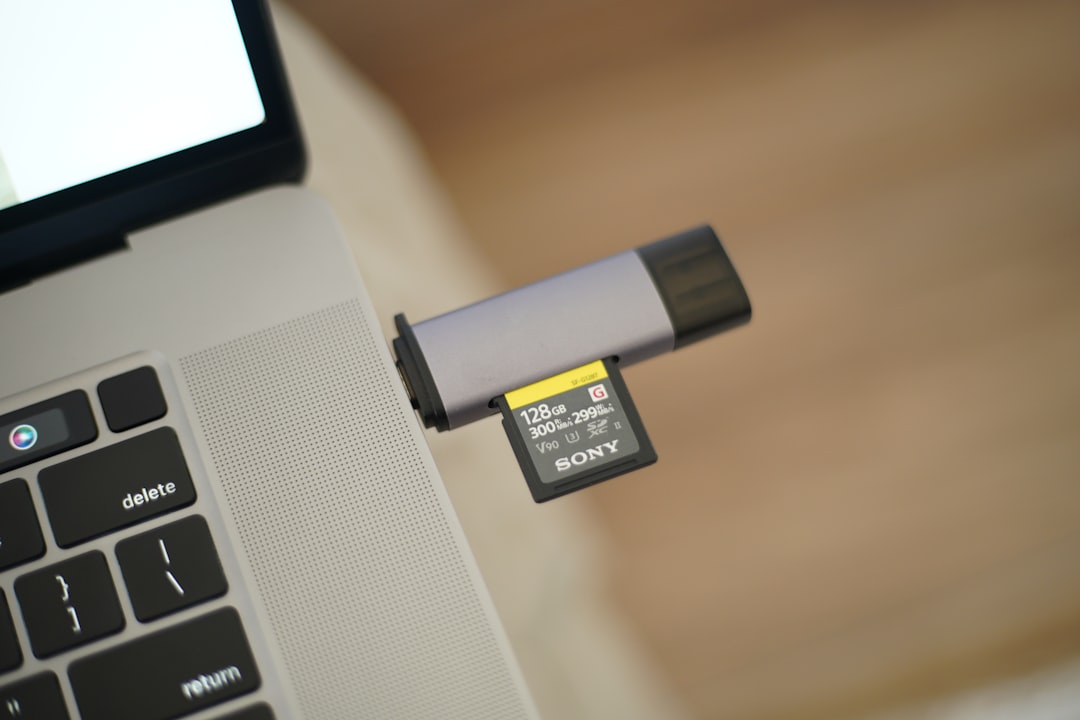
While cloud services protect data offsite, local and image based backup tools focus on creating complete system copies stored on physical drives or network attached storage devices. These solutions are particularly effective for fast recovery and complete disaster restoration.
Key Features
- Full disk imaging that captures the operating system, applications, and settings
- Incremental and differential backups to save storage space
- Bootable recovery media for restoring systems after crashes
- Custom scheduling for automated protection
- Compression capabilities to optimize storage usage
Disk imaging is one of the strongest defenses against catastrophic system failure. Instead of reinstalling software and reconfiguring devices manually, users can restore an entire operating system environment in a relatively short period. This significantly reduces downtime.
Local backups also offer speed advantages. Because recovery happens through a direct connection rather than over the internet, restoring large volumes of data can be much faster. This makes image based backups particularly useful for mission critical systems.
However, relying solely on local backups introduces risk. If a fire, flood, or theft affects the physical location, backup drives stored onsite may also be damaged. Therefore, experts often recommend following the 3 2 1 backup rule:
- Keep three copies of your data
- Store them on two different media types
- Maintain one copy offsite
Local backups satisfy the first two conditions effectively when paired with cloud storage for offsite redundancy.
Best Use Cases
- Organizations requiring fast full system recovery
- IT professionals managing multiple workstations
- Businesses with large data volumes
- Users with limited internet bandwidth
When configured properly, image based backup software provides a reliable safety net against system corruption, failed updates, and hardware crashes.
3. Hybrid Backup Solutions
Hybrid backup solutions combine the strengths of both cloud and local systems. They automatically create backups on local storage devices while simultaneously replicating that data to the cloud. This dual layer approach offers speed, flexibility, and robust disaster protection.

Key Features
- Simultaneous local and cloud backups
- Intelligent data synchronization
- Encryption and access controls
- Quick local restores with cloud redundancy
- Centralized management dashboards
Hybrid systems are ideal for businesses that cannot afford extended downtime. In the event of accidental deletion or hardware failure, a quick local restore resolves the issue rapidly. If a site wide disaster occurs, the offsite cloud copy ensures continuity.
Automation plays a central role in hybrid solutions. Backup schedules, retention policies, and monitoring alerts reduce the risk of human error. Many tools also send notifications if a backup fails, ensuring administrators can intervene before a serious issue arises.
Security is another major advantage. Advanced hybrid platforms often incorporate:
- Multi factor authentication
- Role based access controls
- Immutable storage options that prevent tampering
- Ransomware detection algorithms
Because they offer both speed and geographic redundancy, hybrid tools are commonly used in regulated industries such as healthcare, finance, and legal services where data must remain both secure and continuously available.
Best Use Cases
- Medium to large businesses
- Organizations handling regulated data
- Companies prioritizing business continuity planning
- Anyone implementing the 3 2 1 backup strategy
Choosing the Right Backup Tool
Selecting the right backup solution depends on several factors. While each of the three categories offers strong protection, the ideal choice varies based on business size, technical expertise, and risk tolerance.
Consider the following criteria:
- Data volume: Larger datasets may require scalable storage architecture.
- Recovery time objective: How quickly must systems be restored?
- Security requirements: Does the solution include encryption and compliance features?
- Budget constraints: Subscription cloud services differ from one time local hardware investments.
- Ease of management: Automated dashboards simplify monitoring and reporting.
For personal use, a straightforward cloud service with automatic scheduling may be sufficient. For enterprises, combining disk imaging with cloud replication typically delivers stronger resilience.
The Importance of Automated Backups
Automation eliminates one of the most common causes of data loss: human error. Manual backups are frequently forgotten, delayed, or skipped altogether. Automated tools ensure consistent protection by running at predefined intervals without requiring user intervention.
Advanced automation features can include:
- Real time file monitoring
- Smart bandwidth management
- Custom retention policies
- Automated integrity testing
By reducing reliance on manual processes, automation strengthens data reliability and ensures that recovery points remain current.
Final Thoughts
Data loss can strike unexpectedly, whether through hardware failure, cybercrime, or simple user mistakes. The most effective protection strategy does not rely on a single layer of defense. Cloud based backup services offer remote security and convenience. Local and image based tools enable fast and complete system restoration. Hybrid solutions combine both approaches for maximum resilience.
By implementing automated backups, encrypting sensitive data, and following the 3 2 1 rule, individuals and businesses can significantly reduce the risk of permanent loss. Investing in reliable backup tools is not simply a technical upgrade; it is a proactive safeguard against disruption, financial damage, and reputational harm.
FAQ
1. How often should data be backed up?
Backup frequency depends on how often data changes. For businesses handling critical information, daily or real time backups are recommended. Personal users may find weekly backups sufficient, though automated daily backups provide stronger protection.
2. Is cloud backup safe from hackers?
Most reputable cloud backup providers use encryption during data transfer and storage. When combined with multi factor authentication and strong passwords, cloud backups are generally very secure. However, choosing a provider with strong compliance certifications is essential.
3. What is the difference between file backup and disk imaging?
File backup copies selected files and folders, while disk imaging captures an entire system including the operating system, applications, and configuration settings. Disk imaging allows complete system restoration, while file backup focuses on individual data recovery.
4. Can backups protect against ransomware?
Yes. Backups protect against ransomware by allowing users to restore clean versions of files. Some advanced tools also offer immutable storage or ransomware detection features for additional protection.
5. What is the 3 2 1 backup rule?
The 3 2 1 rule recommends keeping three copies of data, storing them on two different types of media, and maintaining one copy offsite. This approach significantly reduces the risk of complete data loss.
6. Are hybrid backup solutions worth the investment?
For organizations that cannot afford downtime or data loss, hybrid solutions often provide the best balance of speed, redundancy, and security. They combine fast local restores with cloud based disaster recovery, offering comprehensive protection.