Tracking keyword rankings is one of the most important parts of SEO. But doing it manually? That gets old fast. Logging into tools. Copying numbers. Updating spreadsheets. Sending reports. Every. Single. Week. The good news? You can automate almost all of it. And once you do, SEO reporting becomes faster, cleaner, and way less stressful.
TLDR: Automating rank tracking saves time and reduces human error. Use rank tracking tools, connect them to reporting dashboards, and schedule automated updates. Add alerts so you never miss major ranking changes. Once set up, your SEO reports practically build themselves.
Let’s break this down in a simple, fun way.
Why Manual Rank Tracking Is a Problem
Manual tracking sounds harmless. It’s just checking rankings, right? Not quite.
Here’s what usually happens:
- You search Google for your keyword.
- You scroll until you find your site.
- You write down the position.
- You repeat this 50+ times.
This approach comes with problems:
- Personalized results skew rankings.
- Location differences change what you see.
- Human error leads to messy reports.
- It takes way too much time.
Automation fixes all of this.
What Rank Tracking Automation Actually Means
Automated rank tracking means using software to:
- Track keyword positions daily or weekly
- Store historical ranking data
- Monitor competitors
- Generate reports automatically
- Send updates to clients or your team
Instead of manually checking Google, tools do the heavy lifting.
Step 1: Choose the Right Rank Tracking Tool
The foundation of automation is the tool you choose.
Look for software that offers:
- Daily ranking updates
- Location-specific tracking
- Device-specific tracking (desktop and mobile)
- Competitor tracking
- Historical data
- Report scheduling
Popular tools in this space include all-in-one SEO platforms and specialized rank trackers. The key is reliability. You want consistent, accurate data.
Tip: Always test a tool before committing long term. Some offer free trials. Try tracking 10–20 keywords and compare results.
Step 2: Organize Keywords the Smart Way
Automation works best when your keyword list is clean.
Instead of dumping 500 random keywords into one folder, organize them by:
- Product category
- Service type
- Blog content
- Search intent
- Campaign
This makes reporting clear and meaningful.
For example:
- Transactional keywords – “buy running shoes online”
- Informational keywords – “how to choose running shoes”
- Branded keywords – Your company name
When automated reports come in, they’ll be grouped logically. Clients love clarity.
Step 3: Set Tracking Frequency
Not all keywords need daily tracking.
Here’s a simple rule:
- High-priority pages: Track daily
- Mid-tier pages: Track weekly
- Low-priority blogs: Track weekly or bi-weekly
Daily tracking is helpful during:
- New website launches
- Major Google algorithm updates
- Big content updates
- Link-building campaigns
Most tools let you choose frequency with a few clicks.
Step 4: Automate Reporting with Dashboards
This is where the magic happens.
Instead of exporting spreadsheets, use dashboards.
Reporting tools like business intelligence platforms connect directly to your rank tracking software.
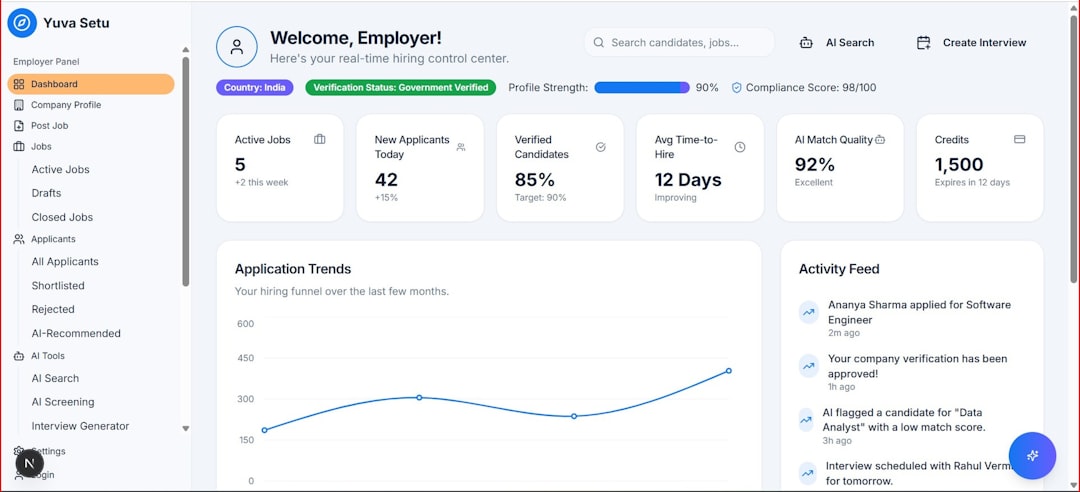
You can build dashboards that show:
- Average ranking position
- Ranking distribution (Top 3, Top 10, Top 20)
- Keyword movement over time
- Competitor comparisons
- Visibility score

Then schedule reports to be sent automatically.
For example:
- Weekly PDF email to clients
- Monthly executive summary
- Real-time dashboard link
No clicking. No copying. No formatting headaches.
Step 5: Set Up Ranking Alerts
Automation isn’t just about reports. It’s also about awareness.
Good rank tracking tools allow alerts such as:
- Keyword drops more than 5 positions
- Keyword enters Top 10
- Competitor outranks you
- Sudden ranking volatility
This way, you don’t have to stare at dashboards daily.
You react only when something important happens.
Pro move: Set separate alerts for branded keywords. If branded rankings drop, it could indicate technical or reputation issues.
Step 6: Connect Rank Tracking to Other SEO Metrics
Rankings alone are not enough.
A keyword ranking #1 with no clicks? Not helpful.
To make reporting smarter, combine:
- Ranking data
- Organic traffic
- Click-through rate
- Conversions
- Revenue
When automation connects these metrics, your reports tell a story.
Example:
- Keyword moved from position 8 to 3
- Traffic increased 35%
- Conversions increased 18%
That’s powerful.
Step 7: Automate Competitor Monitoring
SEO is competitive. Tracking your own site is not enough.
Most rank tracking tools let you add competitors.
You can quickly see:
- Who ranks above you
- Who is gaining visibility
- Which keywords they’re winning
- Where you’re closing the gap

You can even schedule competitor summary reports.
This makes your strategy proactive instead of reactive.
Step 8: Use APIs for Advanced Automation
If you want to go deeper, APIs are your friend.
An API lets tools talk to each other.
With an API, you can:
- Pull ranking data into custom dashboards
- Feed data into internal systems
- Trigger Slack or email alerts
- Combine with CRM data
This is powerful for agencies and large businesses.
For example:
- If rankings drop 10+ positions
- Send Slack notification
- Create task in project management tool
- Assign to SEO manager automatically
No manual follow-up required.
Step 9: Schedule Monthly Deep-Dive Reports
Automation handles routine updates.
But you should still review performance monthly.
Create an automated report that includes:
- Top keyword winners
- Biggest ranking drops
- New keywords entered Top 10
- Lost keywords
- Competitor movement
Add short commentary. Keep it simple.
Automation gives you the data. You add the insight.
Common Mistakes to Avoid
Automation is amazing. But it’s not magic.
Avoid these mistakes:
- Tracking too many keywords – Focus on what matters.
- Ignoring search intent – Rankings mean little without purpose.
- Forgetting about localization – Local businesses must track city-specific results.
- Never auditing keyword lists – Remove outdated terms.
Clean data makes automated reporting far more useful.
How Much Time Can You Save?
Let’s do quick math.
Manual tracking for 75 keywords:
- Checking rankings: 1.5 hours
- Updating spreadsheets: 45 minutes
- Building report: 60 minutes
That’s over 3 hours per week.
Automation reduces that to:
- Review dashboard: 15–20 minutes
- Add insights: 20 minutes
You save about 2+ hours weekly.
That’s over 100 hours per year.
Time you can invest in strategy instead of spreadsheets.
Simple Automation Setup for Beginners
If you’re just starting, here’s an easy setup:
- Choose a trusted rank tracking tool.
- Upload 30–50 priority keywords.
- Set weekly tracking.
- Create a simple dashboard with ranking trends.
- Schedule automatic weekly email reports.
- Turn on alerts for major changes.
That’s it.
No complicated integrations required.
Final Thoughts
SEO is already complex. Reporting shouldn’t be.
Automating rank tracking helps you:
- Save time
- Reduce manual errors
- Improve data accuracy
- React faster to ranking changes
- Create cleaner client reports
The goal isn’t to remove humans from SEO.
The goal is to remove boring, repetitive tasks.
Let tools track the numbers.
You focus on strategy. Content. Links. Growth.
Set it up once. Refine it occasionally. Let it run.
That’s the beauty of automation.