So you’ve recorded a rock track in BandLab. The riffs are tight, the drums hit hard, the vocals felt powerful while tracking—and then you press play. Suddenly everything sounds thin, muddy, flat, or oddly quiet. If you’ve ever asked yourself, “Why does BandLab make my rock songs sound low quality?”, you’re not alone. The good news? It’s rarely BandLab’s fault. It’s usually a mix of recording technique, gain staging, mixing habits, and export settings—and all of it is fixable.
TLDR: Your rock songs sound low quality in BandLab mainly due to poor gain staging, over-processing, weak source recordings, and improper mixing or export settings. Rock music needs punchy mids, controlled lows, and space through panning—without overloading effects. Focus on cleaner recordings, balanced EQ, moderate compression, and correct mastering levels. With a few key adjustments, your mixes can sound powerful and professional—even in BandLab.
The Real Reason Your Rock Mix Sounds Weak
BandLab is a capable digital audio workstation, especially for beginners and intermediate producers. It does not inherently degrade your sound. However, rock is a dense and dynamic genre. Guitars, bass, drums, and vocals all fight for space in similar frequency ranges. If you don’t control that space carefully, the result is muddiness or lifeless sound.
Here are the most common reasons your rock track may sound low quality:
- Clipping during recording
- Over-compression
- Too much distortion layering
- Poor EQ separation
- Imbalanced levels
- Low-bitrate exports
- Monitoring on weak speakers or headphones
Problem #1: Your Recording Levels Are Too Hot (Or Too Quiet)
Rock musicians love energy. But redlining your input signals destroys clarity. If your guitars or vocals go into the red while recording, you create digital clipping—which sounds harsh, brittle, and amateur.
Fix it:
- Keep input levels peaking between -12 dB and -6 dB.
- Never let tracks hit 0 dB while recording.
- Record slightly quieter and boost later if needed.
- Avoid stacking multiple distorted tracks at full volume.
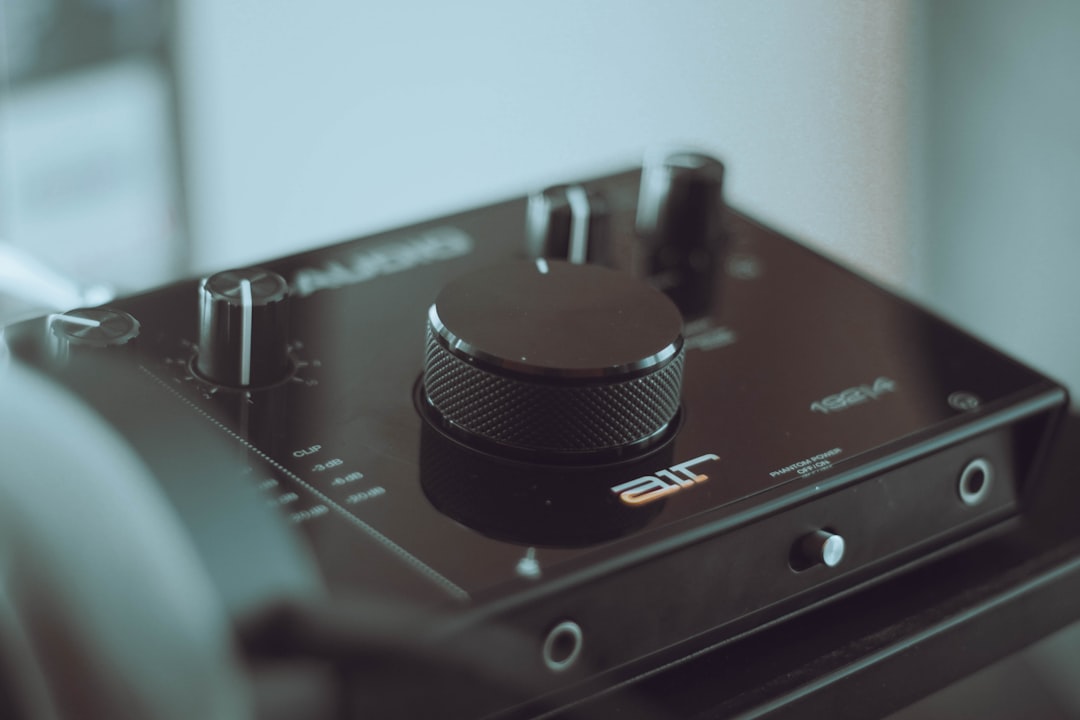
Clean gain staging alone can dramatically improve your final sound.
Problem #2: Too Much Distortion (Yes, That’s a Thing)
Rock equals distortion—right? Yes, but excessive distortion reduces clarity and punch. When you layer multiple distorted guitars without EQ carving, they blur together into a fizzy wall of noise.
Fix it:
- Use less gain than you think you need.
- Double-track rhythm guitars and pan one left, one right.
- Cut low frequencies below 80–100 Hz on guitars.
- Reduce harsh frequencies between 3 kHz–6 kHz if needed.
The heavier the music, the cleaner each individual track must be.
Problem #3: Muddy Mix (The 200–500 Hz Trap)
Rock mixes frequently become muddy because too many instruments occupy the low-midrange. Guitars, bass, snare body, and vocals all live there. When they overlap, the mix loses clarity and sounds “boxy.”
Fix it with EQ separation:
- Cut 200–400 Hz slightly on rhythm guitars.
- Boost bass around 60–80 Hz but cut around 250 Hz if boomy.
- Add presence to vocals around 3 kHz.
- High-pass instruments that don’t need deep lows.
Think of EQ as sculpting space rather than boosting everything.
Problem #4: Your Drums Lack Punch
Rock music lives and dies by its drums. Weak drums automatically make the whole track feel low quality—even if everything else is solid.
Common drum mistakes in BandLab:
- Kick drum buried under bass
- Snare too quiet
- No compression on drum bus
- Overuse of reverb
Fix it:
- Compress the drum bus lightly (3–5 dB gain reduction).
- Boost kick around 60 Hz and 3–5 kHz for attack.
- Let the snare peak clearly in the mix.
- Use reverb subtly—short plate or room works best.
Problem #5: Over-Compression Killing Dynamics
It’s tempting to compress everything. Many beginners stack compressors on vocals, guitars, drum buses, and the master—all at once. The result? A squashed, small, lifeless track.
Rock needs impact. Impact comes from dynamics—the difference between quiet and loud.
Healthy compression tips:
- Vocals: 3–6 dB gain reduction
- Bass: 4–6 dB gain reduction
- Drum bus: light compression, slow attack
- Master bus: very subtle (or none during mixing)
If your mix sounds flat and fatiguing, remove a compressor and listen again.
Problem #6: Everything Is Centered
If all your instruments sit in the center, your mix will sound narrow and crowded.
Rock thrives on width.
Panning basics for rock:
- Kick, snare, bass, lead vocal: center
- Rhythm guitar 1: 80–100% left
- Rhythm guitar 2: 80–100% right
- Toms and overheads: slight stereo spread
- Backing vocals: light left/right separation
Stereo width instantly makes your mix sound bigger and more professional.
Problem #7: Export Settings Are Lowering Quality
Even a great mix can sound cheap if exported incorrectly. If you’re exporting low-bitrate MP3 files, you’re sacrificing detail.
Best export settings:
- WAV format if possible
- 44.1 kHz sample rate
- 16-bit or 24-bit depth
- If MP3, use 320 kbps
Avoid converting multiple times between formats.
Quick Comparison: Beginner vs Polished Rock Mix
| Element | Low Quality Mix | Improved Mix |
|---|---|---|
| Guitars | Over-distorted, muddy | Double-tracked, EQ carved |
| Drums | Flat, quiet snare | Punchy, bus compressed |
| Vocals | Buried or harsh | Centered, controlled compression |
| Stereo Image | Everything centered | Wide with panning |
| Master | Clipping or too quiet | Peaks around -1 dB |
Problem #8: Weak Source Recordings
No amount of mixing fixes a bad recording.
If your guitar tone sounds bad in the room, it’ll sound worse in the mix. If your vocals are recorded in a noisy, echoey bedroom, clarity suffers.

Fix it:
- Record in a treated or dampened space.
- Use a pop filter for vocals.
- Position microphones carefully.
- Dial in tone before pressing record.
Great mixes begin with great source sounds.
Problem #9: Monitoring on Poor Speakers
If you mix on laptop speakers or bass-heavy earbuds, you’ll make inaccurate decisions. Your mix may sound fine to you—but terrible elsewhere.
Improve monitoring:
- Use studio headphones.
- Reference your mix on multiple systems.
- Compare against professional rock tracks.
- Take breaks to reset your ears.
A Simple Step-by-Step Fix Plan
If your current rock song sounds low quality, try this reset method:
- Remove all master bus effects.
- Lower every track fader.
- Start with drums and build from there.
- Add bass, then rhythm guitars.
- Carve EQ space between bass and kick.
- Add vocals last.
- Pan guitars wide.
- Apply light compression.
- Keep master peak around -6 dB before final limiting.
This structured approach often transforms muddy chaos into controlled power.
Is BandLab “Professional” Enough for Rock?
Yes—within reason.
Many producers create impressive demos and even release-ready tracks in BandLab. However, it requires understanding core mixing fundamentals. The software won’t automatically give you a polished rock sound—you must shape it intentionally.
The difference between “low quality” and “professional” usually isn’t the platform. It’s technique.
Final Thoughts
If your rock songs sound low quality in BandLab, don’t get discouraged. Rock is one of the most challenging genres to mix because it’s dense, aggressive, and dynamic. But with cleaner gain staging, thoughtful EQ, careful compression, stereo width, and proper export settings, your mixes can sound huge and powerful.
The secret isn’t adding more effects—it’s removing the wrong moves.
Less distortion. Better balance. Wider stereo. Cleaner gain staging.
Do that consistently, and your next rock mix won’t just sound “not low quality”—it will sound massive.