Visitors arrive on a WordPress website with a practical question in mind: Can I find what I need quickly, and can I trust this business? For local companies, clinics, restaurants, service providers, real estate offices, event venues, and professional firms, location information is often one of the most important answers. A Google Maps widget gives that answer clearly by placing an interactive map directly on the website, helping users understand where you are, how to reach you, and whether your business is accessible and legitimate.
TLDR: A Google Maps widget can make a WordPress website more useful, credible, and conversion focused by helping visitors find your location without friction. It improves the user experience by offering directions, nearby context, mobile convenience, and visual reassurance. For businesses that depend on local traffic or appointments, a map widget can reduce confusion, increase trust, and support more inquiries or visits.
Why Location Clarity Matters on a WordPress Website
A website is often the first point of contact between a visitor and a business. If someone is considering booking an appointment, visiting a store, attending an event, or contacting a local service provider, they need confidence that the business is real, reachable, and conveniently located. A simple address in the footer may be helpful, but it often does not provide enough context.
A Google Maps widget adds context immediately. Instead of forcing users to copy an address, open a new browser tab, paste it into a map service, and check directions manually, the widget keeps the process integrated into the website experience. This matters because every extra step creates friction. When visitors experience friction, they may postpone the decision, abandon the page, or choose a competitor with clearer information.
By embedding an interactive map, your WordPress website becomes more practical. Users can zoom in, view nearby streets, identify landmarks, and open directions with minimal effort. For many businesses, that small improvement can have a meaningful effect on user satisfaction.
Improving Trust and Professional Credibility
Trust is not built through a single element. It comes from multiple signals working together: a polished design, clear contact information, accurate content, secure browsing, reviews, and visible proof that the business exists. A Google Maps widget contributes to that trust by showing a physical location in a familiar and reliable format.
When visitors see a map connected to a real address, it helps reduce uncertainty. This is especially important for businesses where physical presence matters, such as:
- Medical and dental practices where patients want to confirm the clinic location before scheduling.
- Law firms and financial advisors where professionalism and legitimacy are essential.
- Restaurants, cafes, and retail stores where customers often evaluate convenience before visiting.
- Gyms, salons, and wellness centers where regular access and proximity influence decisions.
- Event venues and hotels where guests need location details, parking information, and nearby landmarks.
A map does not replace well-written content or customer reviews, but it supports them. It acts as a visual confirmation that strengthens the credibility of the rest of the website.
Making Navigation Easier for Mobile Visitors
Mobile users often visit a website while they are already on the move. They may be walking, driving, using public transportation, or comparing nearby options. In these situations, convenience is critical. A Google Maps widget can help mobile visitors move from interest to action more quickly.
For example, a potential customer searching for a nearby repair shop can open your WordPress website, view your location, and tap for directions. A patient running late for an appointment can quickly confirm the entrance location. A restaurant customer can check whether your location is close enough for lunch. These are simple actions, but they directly affect the visitor’s experience.
Mobile-friendly location access is no longer a minor enhancement. It is part of basic website usability. If a visitor has to pinch, zoom, copy text, or search elsewhere to find your business, the site is not serving them as effectively as it could.
Reducing Contact Form and Phone Call Friction
Many businesses receive repeated calls asking for basic location details: “Where are you located?”, “Are you near the main road?”, “Is there parking nearby?”, or “How do I get there?” While these questions are normal, they can take time away from more valuable conversations.
A well-placed Google Maps widget can reduce these repetitive inquiries by answering location questions directly. It can also support other contact details on the page, such as:
- The full business address.
- Opening hours or appointment hours.
- Phone number and email address.
- Parking or entry instructions.
- Service area information.
When users can find the information they need independently, they are more likely to contact the business for meaningful reasons, such as booking, requesting a quote, or asking about availability. This improves both the customer experience and the efficiency of internal operations.
Supporting Local Search and User Intent
Local visibility depends on a combination of factors, including accurate business information, consistent listings, relevant content, customer reviews, and website quality. While adding a Google Maps widget alone does not guarantee higher search rankings, it can support a stronger local presence by making location information clear and consistent.
Search engines aim to provide useful results. A website that clearly communicates its address, service area, and local relevance is better aligned with the needs of local searchers. Embedding a map alongside accurate contact details can reinforce those signals for users and help ensure that visitors find the same location information across your website and your business profiles.
Consistency is essential. If your website says one address, your business listing says another, and your map points somewhere slightly different, visitors may become confused. Before adding a map widget, confirm that your business name, address, and phone number are accurate everywhere they appear online.
Helping Visitors Understand the Surrounding Area
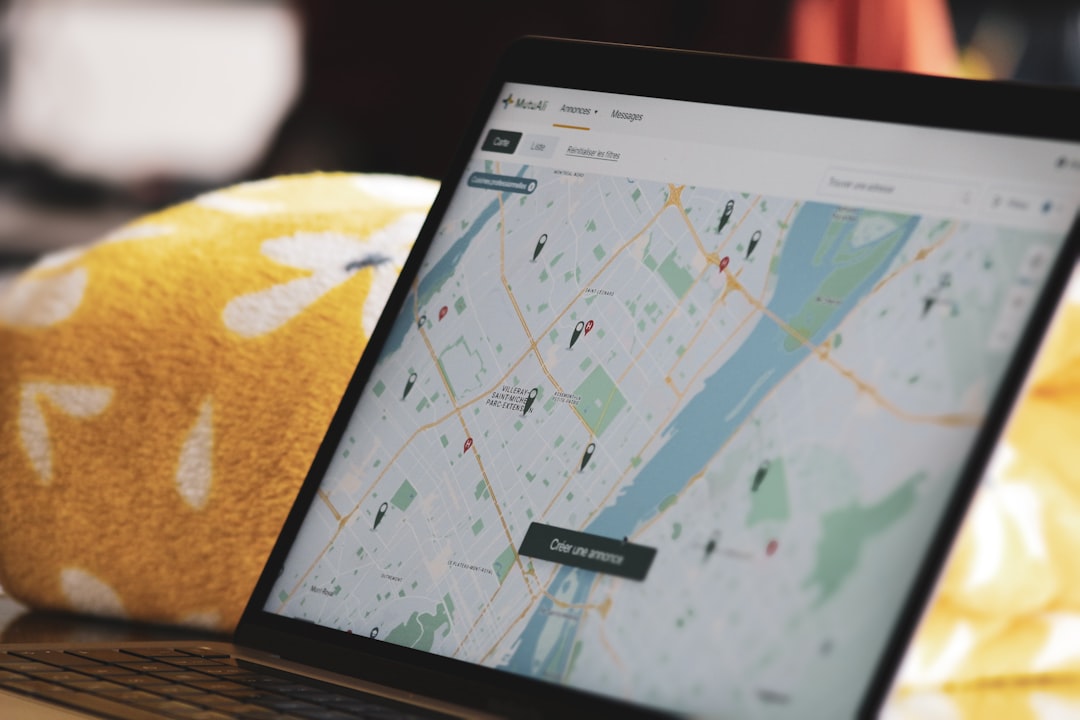
An address tells users where you are, but a map shows them where you are in relation to everything else. This is valuable because people often make decisions based on proximity and convenience. A visitor may want to know whether your office is near public transportation, whether your store is close to a shopping district, or whether your venue is easy to find from a major road.
A Google Maps widget allows users to explore the surrounding area without leaving your site. They can look at cross streets, nearby businesses, transit stops, landmarks, and neighborhood layout. This type of visual context is particularly useful for businesses located in office buildings, shopping centers, medical complexes, or areas with multiple entrances.
If your location is difficult to find, the map can be paired with a short note explaining important details. For example: “Our entrance is on the east side of the building, next to the pharmacy,” or “Visitor parking is available behind the main office.” These practical details show that you understand your customers’ needs.
Increasing Conversions Through Better User Experience
Conversions do not always mean online purchases. For many WordPress websites, a conversion may be a phone call, appointment request, in-person visit, consultation booking, reservation, quote request, or event registration. A Google Maps widget can support these goals by removing uncertainty at a key moment in the decision process.
Consider a visitor who is comparing three local businesses. If one website clearly displays the location, provides simple directions, lists business hours, and makes contact easy, that business feels more accessible. The visitor does not need to work hard to understand the next step. This smoother experience can influence the final decision.
Good website experience is often about reducing hesitation. A map widget can answer questions before they become objections:
- “Is this business close enough?”
- “Can I get there easily?”
- “Is the location legitimate?”
- “Will I know where to go when I arrive?”
When these concerns are answered clearly, users are more comfortable taking action.
Where to Place a Google Maps Widget
Placement has a strong impact on usefulness. A map hidden deep within the site may be overlooked, while a map placed in the right context can improve the entire journey. The most common location is the Contact page, but it is not the only option.
Effective placements include:
- Contact page: Ideal for combining maps, address, phone number, email, and forms.
- Footer area: Useful for smaller maps or location links visible across the website.
- Homepage: Appropriate for businesses where location is central to the customer decision.
- Location pages: Important for companies with multiple branches or service areas.
- Event pages: Helpful when visitors need directions to a specific venue.
For websites with multiple locations, each branch should have its own clear map and address. This prevents confusion and helps visitors choose the most convenient option.
Performance and Privacy Considerations
While a Google Maps widget can improve usability, it should be implemented carefully. Embedded maps can add external scripts and increase page load time if not optimized. A slow website can frustrate users and reduce the benefits of the widget.
To keep performance in mind, consider loading the map only where it is needed, such as on the contact page rather than every page. Some website owners also use a static map preview that opens the interactive map when clicked. This can provide a cleaner balance between usability and speed.
Privacy should also be considered, especially for websites serving regions with strict data protection expectations. Since embedded maps may connect to third-party services, it is wise to review how the widget behaves and whether your privacy policy should mention the use of external map services.

Best Practices for a Professional Implementation
A map widget should feel like a natural part of the website, not an afterthought. To create a polished experience, use the following best practices:
- Use the correct address: Verify the map pin before publishing.
- Keep design consistent: Place the widget in a clean section with enough spacing.
- Add written directions: Include parking, entrance, or landmark details where useful.
- Test on mobile devices: Make sure the map is responsive and easy to use.
- Avoid clutter: Do not place too many widgets, ads, or forms around the map.
- Provide alternatives: Include the address in text so users can copy it if needed.
Accessibility also matters. Not every visitor will interact with the map in the same way. A written address, clear labels, and supporting directions make the location information available to more users. The goal is not only to display a map, but to communicate location clearly.
A Small Feature With Practical Business Value
A Google Maps widget may seem like a modest addition to a WordPress website, but its value is practical and measurable. It helps visitors find your business, understand your location, confirm legitimacy, and take the next step with greater confidence. For local businesses and organizations, these are not minor benefits; they directly affect how users experience the brand.
The best websites are not merely attractive. They are useful, reliable, and designed around real visitor needs. Adding a Google Maps widget supports that standard by making location information visible, interactive, and easy to act on. When implemented thoughtfully, it can improve trust, reduce friction, strengthen local relevance, and contribute to better customer engagement.
For any WordPress website that depends on physical visits, appointments, local visibility, or geographic credibility, a Google Maps widget is a serious and worthwhile enhancement. It gives visitors the clarity they need and presents your business as accessible, organized, and ready to serve.