In today’s highly competitive digital environment, businesses cannot afford to guess what their customers want. Accurate data collection is essential for generating qualified leads, understanding customer expectations, and improving products or services. Form builder software has become a foundational tool for organizations that need reliable, scalable, and efficient ways to capture leads and feedback. From small startups to large enterprises, structured data collection through customizable online forms plays a critical role in growth strategies.
TLDR: Form builder software helps businesses capture leads and collect feedback efficiently through customizable online forms. The best tools offer automation, integrations, analytics, and strong security features. Choosing the right solution depends on your business size, goals, and technical requirements. When implemented properly, form builders significantly improve lead quality, response rates, and operational efficiency.
Why Form Builder Software Matters
Manual data collection methods are slow, error-prone, and difficult to scale. Modern form builders streamline this process by offering intuitive drag-and-drop interfaces, automation features, and seamless integration with marketing and CRM platforms.
The benefits extend well beyond simple data capture. Organizations use form builder software to:
- Generate and qualify leads through conditional logic and progressive profiling
- Collect actionable feedback from customers, employees, or partners
- Automate follow-up workflows such as email sequences and notifications
- Centralize data for reporting and analytics
- Improve compliance with data protection regulations
Whether embedded on a website, shared through email, or deployed on landing pages, forms serve as the bridge between businesses and their audiences.
Key Features to Look For
Not all form builder tools are equally effective. A serious evaluation should focus on the following capabilities:
1. Ease of Use
A modern form builder should offer a drag-and-drop editor that enables non-technical users to create professional forms quickly. Templates for lead capture, contact forms, surveys, and feedback forms can accelerate deployment.
2. Customization and Branding
Brand consistency builds trust. Look for tools that allow full customization of fonts, colors, logos, and layouts to maintain visual alignment with your website and marketing assets.

3. Conditional Logic
Conditional logic enhances both lead quality and user experience. It allows businesses to display or hide questions based on previous answers, ensuring forms remain relevant and concise.
4. Integrations
The true value of form builder software emerges when it integrates seamlessly with:
- Customer Relationship Management (CRM) systems
- Email marketing platforms
- Payment gateways
- Project management tools
- Analytics platforms
Direct integrations eliminate manual data entry and reduce operational errors.
5. Automation
Automation features allow immediate email confirmations, task creation, or lead routing to sales teams. Automated workflows ensure timely follow-ups, increasing conversion rates.
6. Security and Compliance
Data privacy is non-negotiable. Secure form builder software should offer:
- SSL encryption
- Role-based access controls
- Data export and deletion capabilities
- Compliance with GDPR and other regulations
Top Form Builder Tools for Lead Capture and Feedback
Below is a comparison of reputable form builder tools widely used for capturing leads and gathering feedback.
| Tool | Best For | Key Strength | Automation | Integrations |
|---|---|---|---|---|
| Typeform | Engaging surveys and feedback | Conversational, user-friendly interface | Moderate | Extensive |
| Jotform | Versatile business use | Large template library | Strong | Extensive |
| Google Forms | Basic data collection | Free and easy to use | Limited | Google ecosystem |
| HubSpot Forms | Marketing and sales alignment | CRM integration | Very Strong | Native CRM |
| Wufoo | Small business forms | Simplicity | Moderate | Good |
How Form Builders Improve Lead Generation
Effective lead capture relies on balancing simplicity with strategic data collection. Overly long forms reduce completion rates, while overly short forms may produce unqualified leads. Form builder software allows businesses to test different formats and optimize performance over time.
Advanced features such as progressive profiling allow organizations to collect incremental information from returning visitors without overwhelming them in a single interaction. Additionally, integration with CRM systems enables lead scoring based on responses, ensuring that sales teams focus on high-intent prospects.
Embedded forms on high-traffic pages such as blog posts, pricing sections, and landing pages significantly boost lead acquisition rates. Pop-ups, slide-ins, and exit-intent forms provide further opportunities to convert visitors before they leave.
Enhancing Customer Feedback Collection
Customer feedback is essential for continuous improvement. Form builder software simplifies the deployment of:
- Post-purchase surveys
- Net Promoter Score (NPS) surveys
- Event feedback forms
- Support satisfaction surveys
By capturing feedback in a structured and centralized way, organizations can identify trends, evaluate employee performance, and improve customer journeys.
Conditional logic is particularly useful in feedback forms. For example, negative satisfaction ratings can trigger follow-up questions that help uncover root causes. This allows businesses to address issues proactively and reduce churn.
Best Practices for High-Converting Forms
Even the most advanced software requires thoughtful implementation. Consider the following best practices when designing lead capture and feedback forms:
Keep It Focused
Ask only for essential information. For lead generation, name, email, and one qualifying question may be sufficient initially.
Optimize for Mobile
A significant percentage of users complete forms on mobile devices. Responsive design is no longer optional.
Use Clear Calls to Action
Replace generic buttons like “Submit” with action-driven labels such as “Get My Free Quote” or “Download the Guide.”
Provide Assurance
Include privacy statements and security indicators to reassure users that their information is protected and will not be misused.
Test and Analyze Performance
Monitor metrics such as:
- Completion rates
- Abandonment rates
- Conversion rates
- Average completion time
A/B testing variations of forms can significantly improve overall performance.

The Role of Analytics and Reporting
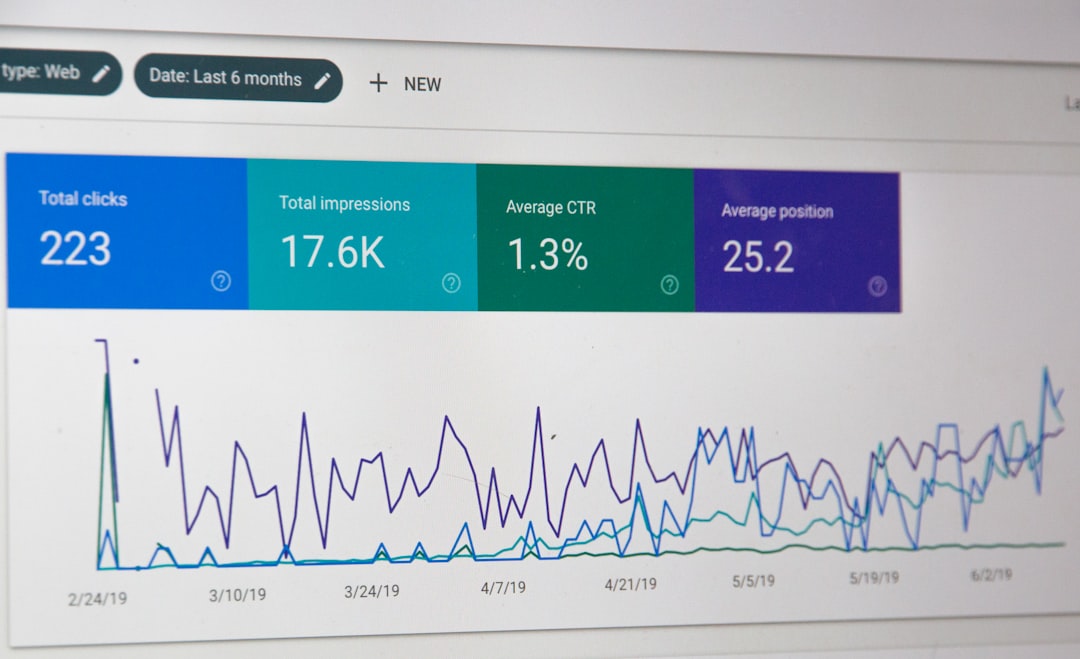
Raw data alone has limited value without analysis. A reliable form builder should provide analytics dashboards or easy export options for external analysis tools. Insights derived from form submissions can guide marketing strategies, product development decisions, and customer support improvements.
For example:
- High drop-off rates may indicate overly complex forms.
- Repeated negative feedback on specific product features signals an urgent improvement area.
- Location data from leads can inform targeted marketing campaigns.
Scalability and Enterprise Considerations
As businesses grow, their data collection needs evolve. Enterprise-grade form builders offer advanced features such as:
- Multi-user collaboration
- Approval workflows
- Custom domains
- Advanced API access
- Single sign-on (SSO)
Scalability ensures that a solution selected today can continue supporting business expansion in the future.
Balancing Cost and Value
While free tools may suffice for small-scale data collection, growing businesses often benefit from investing in paid solutions. The return on investment comes from improved lead quality, automation efficiency, and actionable insights that drive revenue growth.
When evaluating pricing, consider:
- Submission limits
- User limits
- Storage capacity
- Access to premium features
- Support quality
A lower upfront cost may prove more expensive if it limits integrations or automation capabilities critical to growth.
Conclusion
Form builder software is more than a convenience tool—it is a strategic asset for capturing leads and collecting meaningful feedback. When selected thoughtfully and implemented with best practices, it enhances marketing effectiveness, strengthens customer relationships, and improves decision-making across the organization.
Organizations that prioritize structured data collection gain a competitive advantage. By leveraging modern form builder solutions with strong security, automation, and analytics capabilities, businesses position themselves for sustainable, data-driven growth.