Modern teams operate in fast-paced, hybrid environments where communication gaps and poor task visibility can quickly derail productivity. Businesses increasingly seek unified platforms that bring conversations, file sharing, and task tracking into one streamlined workspace. HiBox is one such solution designed to simplify collaboration while keeping teams aligned and accountable. By combining chat functionality with advanced task management tools, it aims to reduce friction and eliminate the need for juggling multiple disconnected apps.
TLDR: HiBox combines real-time chat, integrated task management, built-in video conferencing, and smart notifications into one unified workspace. These four core features help teams reduce app switching, improve accountability, and maintain clear communication. By merging collaboration and project tracking, HiBox enables faster decision-making and more transparent workflows. It is especially effective for remote and hybrid teams needing centralized coordination.
Below is a closer look at four standout HiBox app features that support both team chat and task management, and why they matter for modern organizations.
1. Real-Time Team Chat with Smart Organization
At the heart of HiBox lies its real-time team chat system. Unlike traditional messaging platforms that focus purely on conversation, HiBox structures chat in a way that supports productivity rather than distracting from it.
Teams can create dedicated chat rooms for projects, departments, or specific initiatives. This ensures discussions remain relevant and organized. Instead of endless scrolling through unrelated messages, users can quickly locate contextual conversations linked to their work.
Key benefits of HiBox team chat include:
- Topic-based chat rooms for focused discussions
- Private messaging for one-on-one collaboration
- File sharing directly within conversations
- Searchable chat history for retrieving past decisions
The search functionality is particularly useful for remote teams working across time zones. When employees log in at different times, they can quickly scan relevant discussions, eliminating the need for repetitive updates.
Additionally, HiBox reduces communication silos by integrating chat directly with task workflows. Instead of discussing tasks in one platform and tracking them in another, conversations naturally tie into action items, creating a seamless collaboration experience.
2. Integrated Task and Project Management
One of HiBox’s most powerful features is its built-in task and project management system. Rather than serving solely as a messaging app, HiBox enables teams to create, assign, prioritize, and monitor tasks without leaving the platform.
This feature bridges the gap between discussion and execution. If a task emerges during a chat conversation, users can convert that message into a task instantly. This ensures that important action items are not lost in message threads.
Core task management capabilities include:
- Task creation and assignment with deadlines
- Priority labels to highlight urgency
- Progress tracking dashboards
- Shared project overviews for transparency
Managers benefit from visual dashboards that display ongoing projects, completed tasks, and approaching deadlines. This central overview fosters accountability while minimizing the need for status meetings.
Moreover, task dependencies and milestone tracking allow teams to break down complex projects into manageable stages. By combining structured task planning with communication channels, HiBox reduces confusion and enhances clarity across departments.

For organizations scaling operations or managing cross-functional teams, this integrated system eliminates inefficiencies caused by disconnected tools.
3. Built-In Video Conferencing and Voice Calls
Effective collaboration often requires more than text-based communication. HiBox addresses this need with native video conferencing and voice calling features, eliminating dependence on third-party meeting software.
With a single click, team members can transition from chat to video meetings. This integration saves time and removes scheduling friction. Whether conducting daily stand-ups, client meetings, or brainstorming sessions, the built-in conferencing tools keep everything centralized.
Notable video and call features include:
- High-quality video meetings within chat channels
- Screen sharing for presentations and demos
- Meeting recording for future reference
- Instant call initiation from task or chat views
For remote and hybrid teams, having integrated video communication helps replicate the immediacy of in-office interactions. Team members can quickly clarify confusion, review documents in real time, or finalize decisions without switching applications.
Additionally, because meetings are connected to relevant chat rooms and tasks, context is preserved. Participants can reference files, revisit previous decisions, and convert outcomes into actionable tasks immediately after a meeting ends.
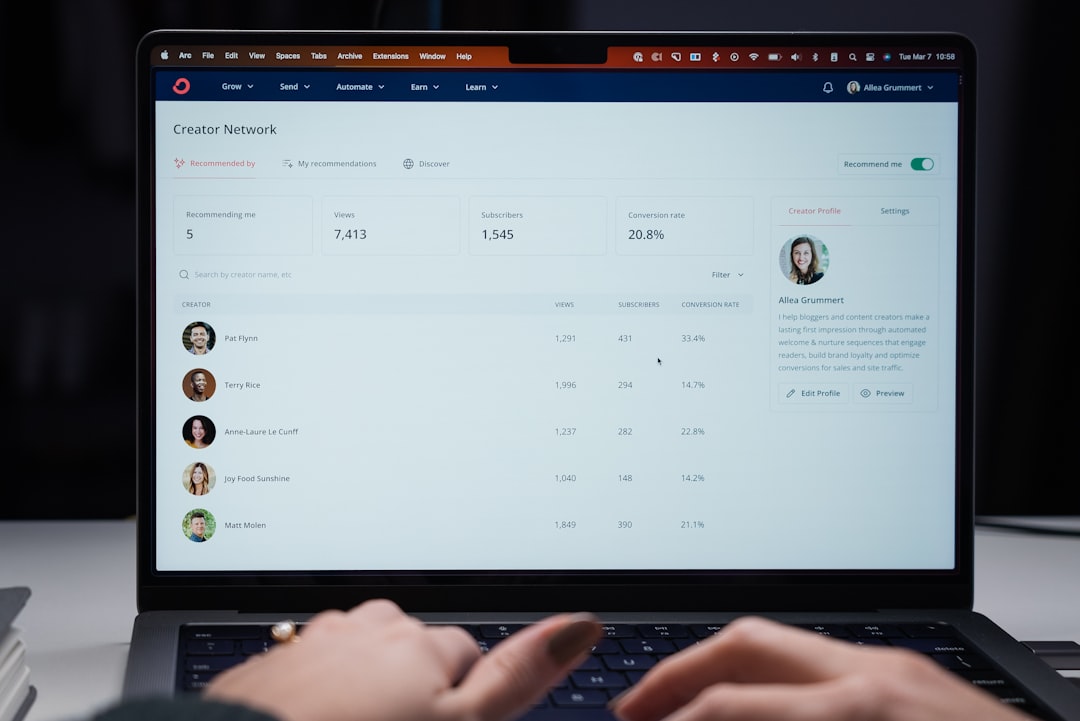
This unified environment promotes efficiency and strengthens team cohesion.
4. Smart Notifications and Productivity Controls
One of the biggest challenges in digital collaboration tools is notification overload. While constant updates keep teams informed, excessive alerts can disrupt deep work. HiBox addresses this balance with smart notification controls designed to maintain productivity.
Users can customize their notification settings based on project involvement, role, or urgency level. This ensures that employees receive critical alerts while filtering out non-essential distractions.
Productivity-enhancing controls include:
- Customizable notification preferences
- Task deadline reminders
- Mention-based alerts for direct relevance
- Status indicators to show availability
These features empower employees to manage their workflow proactively. For example, during focused work sessions, team members can limit interruptions while still receiving urgent updates tied to deadlines or direct mentions.
From a managerial perspective, notification tracking also reinforces accountability. Automated deadline reminders help ensure that projects move forward without requiring supervisors to manually follow up on every assignment.
By improving alert precision and user control, HiBox encourages healthier communication patterns and more structured task completion.
Why These Features Matter Together
While each feature independently offers strong functionality, HiBox’s true value lies in its integration. Instead of piecing together chat apps, task boards, and video platforms, organizations can operate within a single streamlined ecosystem.
This unified approach provides several strategic advantages:
- Reduced app switching and improved efficiency
- Greater transparency across departments
- Faster decision-making due to immediate communication
- Improved accountability through shared task visibility
Furthermore, having chat, conferencing, and task tracking connected ensures that information does not get lost between tools. Conversations evolve into tasks, tasks lead to meetings, and meetings produce actionable follow-ups—all within the same platform.
For small teams, this integration simplifies workflows without overwhelming users. For larger enterprises, it supports cross-functional coordination and scalable project management.
Ideal Use Cases for HiBox
HiBox is particularly well-suited for:
- Remote and hybrid teams needing centralized communication
- Startups seeking an all-in-one collaboration tool
- Agencies managing multiple client projects simultaneously
- Mid-sized businesses aiming to streamline operations
By combining communication and task execution, HiBox eliminates operational bottlenecks and enhances team synergy. Organizations that prioritize collaboration transparency and accountability stand to benefit the most from its capabilities.
Frequently Asked Questions (FAQ)
-
1. Is HiBox suitable for small teams?
Yes. HiBox works well for small teams because it consolidates chat, task management, and video conferencing into one platform. This reduces the need for multiple tools and simplifies onboarding. -
2. Can tasks be created directly from chat messages?
Yes. One of HiBox’s standout features allows users to convert chat messages into tasks instantly, helping prevent action items from being overlooked. -
3. Does HiBox support remote work?
Absolutely. With built-in video conferencing, screen sharing, and real-time messaging, HiBox is designed to support remote and hybrid collaboration models. -
4. How does HiBox reduce notification overload?
HiBox includes customizable notification settings, mention-based alerts, and task deadline reminders to ensure users receive only relevant updates. -
5. Is HiBox a replacement for traditional project management software?
For many teams, yes. Because it integrates both communication and task management, HiBox can replace separate chat apps and project management tools, depending on the organization’s complexity. -
6. Can files be shared securely within HiBox?
Yes. Teams can share files within chat rooms and tasks, keeping important documents tied to relevant discussions and projects.
By combining real-time chat, structured task management, integrated video conferencing, and intelligent notifications, HiBox delivers a comprehensive collaboration solution. For organizations seeking clarity, accountability, and streamlined communication, these four features form a powerful foundation for productive teamwork.