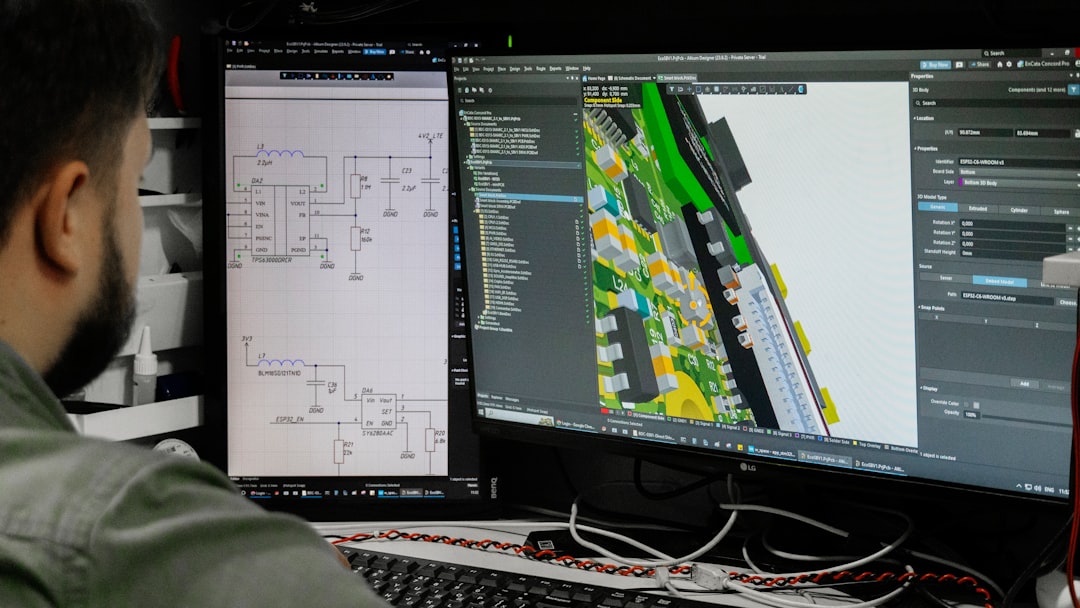
Modern development teams move fast, and their delivery pipelines need to move even faster. Continuous Integration and Continuous Delivery (CI/CD) have become the backbone of software development, automating testing, building, and deployment processes across environments. But as pipelines grow more complex, managing them through raw YAML files and scripts can become overwhelming. That’s where CI/CD pipeline orchestration tools with visual workflow builders shine—offering clarity, collaboration, and control through intuitive interfaces.
TLDR: Visual CI/CD orchestration tools simplify complex delivery pipelines by offering drag-and-drop workflow builders and real-time monitoring dashboards. They reduce configuration errors, improve collaboration between teams, and make automation accessible to both technical and non-technical stakeholders. In this article, we explore five powerful tools that combine orchestration strength with intuitive visual design. We also include a comparison chart to help you choose the right solution for your environment.
Why Visual Workflow Builders Matter in CI/CD
Traditional CI/CD pipelines are often configured using declarative files such as YAML or JSON. While powerful, they can become unreadable as workflows scale. A visual builder provides:
- Drag-and-drop pipeline design
- Clear dependency mapping
- Real-time status visualization
- Simplified troubleshooting
- Improved stakeholder visibility
Instead of deciphering lines of configuration code, teams can see how jobs connect, branch, and trigger. This can dramatically reduce onboarding time and minimize deployment errors.
1. GitLab CI/CD
Best for: All-in-one DevOps platform users seeking integrated visual pipelines.
GitLab offers an integrated DevOps lifecycle platform, and its CI/CD capabilities are deeply embedded into its ecosystem. While pipelines are still defined in a .gitlab-ci.yml file, the platform provides a powerful visual pipeline graph that maps every stage and job.
Key Features:
- Visual pipeline graph with dependency display
- Multi-project and parent-child pipelines
- Auto DevOps templates
- Built-in container registry and security scanning
What makes GitLab stand out is how it bridges configuration with visualization. Developers write structured YAML, but the graphical display makes it easier to understand execution flow across jobs and environments.
Pros:
- Fully integrated DevOps ecosystem
- Excellent traceability and monitoring
- Scalable for enterprise workflows
Cons:
- YAML configuration still required
- Complex enterprise setup may require tuning
2. Azure DevOps Pipelines
Best for: Microsoft-centric development ecosystems.
Azure DevOps offers both YAML-based pipelines and a classic visual editor that allows users to build workflows step by step through a graphical interface. For organizations transitioning from legacy systems, this dual approach provides flexibility.
Image not found in postmeta
Key Features:
- Drag-and-drop task configuration (classic mode)
- Multi-stage pipelines with approvals
- Seamless integration with Azure services
- Built-in test and release management
Azure DevOps excels in enterprise environments where governance and compliance are critical. Role-based access control and approval gates are visually represented, helping teams maintain clarity in production deployments.
Pros:
- Strong enterprise-grade controls
- Tight integration with Microsoft ecosystem
- Flexible pipeline authoring options
Cons:
- User interface can feel complex
- Less intuitive for non-Microsoft users
3. Jenkins with Blue Ocean
Best for: Teams seeking open-source flexibility with enhanced visualization.
Jenkins has long been a CI/CD staple. While traditionally configuration-heavy, the Blue Ocean plugin modernizes Jenkins with a sleek visual pipeline experience.
Key Features:
- Graphical pipeline editor
- Visual representation of stages and parallel jobs
- Replay and debug capabilities
- Extensive plugin ecosystem
Blue Ocean provides better insight into pipeline health by presenting stages as visual cards. Failed steps are highlighted clearly, reducing mean time to recovery (MTTR).
Pros:
- Highly customizable
- Open-source and community-driven
- Great for complex, hybrid environments
Cons:
- Setup and maintenance can be intensive
- Requires plugin management
4. CircleCI
Best for: Cloud-native teams that prioritize speed and simplicity.
CircleCI combines powerful automation with pipeline visualization tools that highlight workflow stages and dependencies. While definitions are YAML-based, the dashboard provides a dynamic execution map.
Image not found in postmetaKey Features:
- Workflow visualization with parallelism insights
- Reusable configuration via orbs
- Cloud and self-hosted runners
- Performance metrics dashboard
Its clean interface makes understanding workflows straightforward. Developers can quickly pinpoint bottlenecks thanks to timing metrics attached to every stage.
Pros:
- Fast setup
- Excellent performance visibility
- Strong support for containerized builds
Cons:
- Advanced customization requires YAML expertise
- Usage-based pricing can scale quickly
5. Harness
Best for: Advanced deployment orchestration and AI-driven automation.
Harness focuses heavily on delivery orchestration, offering a true visual pipeline builder with drag-and-drop stage configuration. Unlike tools that only visualize YAML pipelines, Harness emphasizes graphical workflow construction from the ground up.
Key Features:
- Drag-and-drop pipeline designer
- AI-powered deployment verification
- Cloud cost management integration
- Advanced rollback automation
Harness stands out with machine learning-driven verification, automatically analyzing deployment metrics to detect anomalies. This proactive reliability layer is extremely valuable in large-scale cloud environments.
Pros:
- Strong deployment automation focus
- Modern and intuitive UI
- Built-in safety and rollback mechanisms
Cons:
- Premium pricing
- May exceed needs of smaller teams
Comparison Chart
| Tool | Visual Builder Type | Best For | Deployment Model | Notable Strength |
|---|---|---|---|---|
| GitLab CI/CD | Pipeline graph visualization | Integrated DevOps users | Cloud & Self-managed | End-to-end lifecycle integration |
| Azure DevOps | Classic drag-and-drop editor | Enterprise Microsoft shops | Cloud & On-prem | Governance & compliance controls |
| Jenkins + Blue Ocean | Graphical pipeline UI | Open-source flexibility | Self-hosted | Plugin ecosystem |
| CircleCI | Workflow visualization dashboard | Cloud-native teams | Cloud & Server | Performance insights |
| Harness | Full drag-and-drop designer | Advanced deployment automation | Cloud & Hybrid | AI-powered verification |
How to Choose the Right Tool
Selecting the ideal CI/CD orchestration software depends on several factors:
- Ecosystem compatibility: Does it integrate with your cloud provider and repositories?
- Team skill level: Do you need full visual design or hybrid YAML support?
- Scalability requirements: Will it handle microservices and multi-region deployments?
- Governance needs: Are compliance and approval workflows critical?
- Budget constraints: Does pricing scale sustainably?
Small teams may gravitate toward CircleCI or GitLab for simplicity. Enterprises requiring layered approval gates might prefer Azure DevOps or Harness. Organizations valuing open-source control often stick with Jenkins enhanced by Blue Ocean.
Final Thoughts
Visual workflow builders are more than just aesthetic improvements—they transform how teams understand and collaborate on deployment automation. By turning abstract configurations into interactive diagrams, these tools reduce errors, improve efficiency, and align development with operations.
As software delivery grows increasingly complex, orchestration platforms with visual capabilities are becoming essential rather than optional. Whether you choose an all-in-one DevOps suite or a specialized deployment automation platform, investing in visual pipeline tooling can dramatically streamline your path from code commit to production release.
Ultimately, the right CI/CD orchestration tool is the one that balances clarity, power, and scalability—while empowering your team to ship better software, faster.