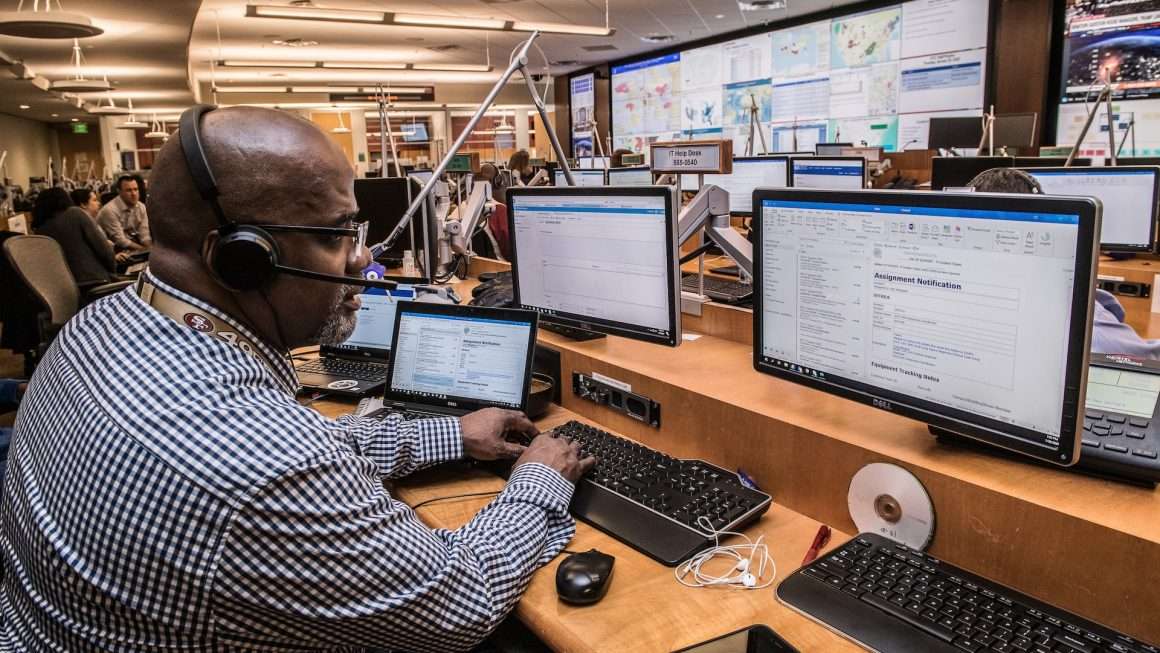
Modern companies run on apps, servers, networks, clouds, databases, APIs, and many tiny moving parts. When one part sneezes, the whole business can catch a cold. Centralized monitoring software helps teams see what is happening across all systems from one place. Think of it as a friendly control room for your digital world.
TLDR: Centralized monitoring software gathers data from many systems and shows it in one clear place. It helps teams find problems faster, reduce downtime, and keep users happy. A good platform includes dashboards, alerts, logs, metrics, traces, reports, and automation. The best results come from smart planning, clean ownership, and a step by step rollout.
What Is Centralized Monitoring Software?
Centralized monitoring software is a tool that watches your technology stack from a single location. It collects signals from servers, containers, cloud services, apps, databases, security tools, and network devices.
These signals usually include:
- Metrics, like CPU use, memory use, and response time.
- Logs, which are text records of system events.
- Traces, which show how a request moves through services.
- Alerts, which warn teams when something looks wrong.
- Events, such as deployments, restarts, or failures.
Without central monitoring, teams hop between many tools. That is slow. It is also stressful. With central monitoring, everyone sees one shared view. It becomes much easier to answer, “What broke, where, and why?”
Why Centralized Monitoring Matters
Imagine your business is a busy airport. Apps are airplanes. Databases are runways. Networks are air traffic lanes. Users are passengers. Nobody wants delays.
Centralized monitoring is the air traffic control tower. It gives your team visibility. It helps prevent crashes. It helps people act before a small issue becomes a big incident.
In simple terms, it turns chaos into signals. It turns signals into action.
Key Benefits
1. Faster Problem Solving
When systems fail, every minute matters. Centralized monitoring helps teams find the root cause quickly. Instead of checking five tools, engineers open one platform.
They can see if the issue started after a deployment. They can check if one server is overloaded. They can spot a slow database query. The result is faster repair and less panic.
2. Less Downtime
Downtime is expensive. It hurts revenue. It hurts trust. It can also ruin someone’s lunch break.
Good monitoring sends alerts before users notice trouble. For example, if disk space is almost full, the system can warn the team early. That gives people time to fix it before an outage.
3. Better User Experience
Users care about speed. They care about reliability. They do not care that a cache cluster had a bad day.
Centralized monitoring tracks real user experience. It can show page load times, error rates, and transaction failures. This helps teams focus on what users actually feel.
4. Improved Team Collaboration
Monitoring works best when teams share the same facts. Developers, operations teams, security teams, and business leaders can all view the same dashboards.
This reduces blame games. It also reduces guesswork. The chat changes from “It is not my system” to “Here is the signal, let’s fix it.”
5. Smarter Capacity Planning
Centralized monitoring shows trends over time. You can see if traffic is rising. You can see if storage is growing. You can see if a service is slowly getting slower.
This helps teams plan upgrades. It also helps avoid waste. You buy what you need, not what fear tells you to buy.
6. Stronger Security Awareness
Monitoring is not only about performance. It can also support security. Strange login patterns, unusual network traffic, and unexpected service changes may signal risk.
When monitoring and security data come together, teams can spot odd behavior faster.
Basic Architecture
Centralized monitoring can sound fancy. But the architecture is easy to understand.
It usually has five main layers:
- Data sources: The systems being watched.
- Collectors or agents: Small tools that gather data.
- Transport layer: The path data takes to reach the platform.
- Storage and processing: The brain that stores, indexes, and analyzes data.
- Dashboards and alerts: The screens and messages humans use.
Data Sources
Data can come from many places. This includes Linux servers, Windows servers, Kubernetes clusters, cloud platforms, firewalls, databases, web apps, and third party APIs.
The more complete your sources are, the clearer your picture becomes.
Collectors and Agents
An agent is a small program installed on a system. It collects data and sends it to the monitoring platform.
Some tools also use agentless monitoring. This means they collect data through APIs, protocols, or integrations. Both models are useful.
Storage and Processing
Monitoring data can be huge. Logs can grow very fast. Metrics arrive every few seconds. Traces can be rich and detailed.
The platform must store this data well. It must also search it quickly. Nobody wants to wait ten minutes during an outage.
Dashboards and Alerts
Dashboards are the windows. Alerts are the doorbells.
A dashboard shows health, trends, and performance. An alert tells the right person when action is needed.
Key Capabilities to Look For
Unified Dashboards
A great dashboard is clear. It does not look like a spaceship cockpit built by raccoons.
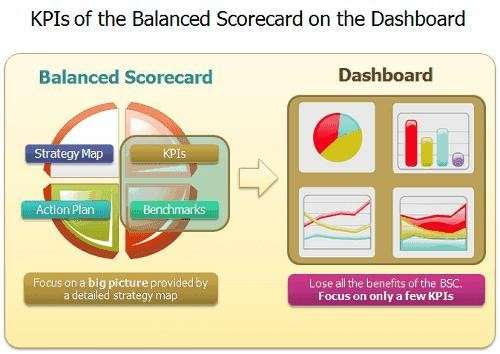
Good dashboards show the most important health indicators. They use simple charts. They highlight problems. They help different teams answer different questions.
Custom Alerts
Alerts should be smart. Too many alerts create noise. Too few alerts create risk.
Look for alert features like:
- Threshold based alerts.
- Anomaly detection.
- Alert grouping.
- Escalation rules.
- Maintenance windows.
- Routing by team or service.
The goal is simple. Wake humans only when humans are needed.
Log Management
Logs are like a system diary. They explain what happened. They are priceless during troubleshooting.
A strong platform should collect, search, filter, and analyze logs. It should also connect logs to metrics and traces.
Application Performance Monitoring
Application Performance Monitoring, or APM, tracks how software behaves. It shows slow transactions, errors, service dependencies, and code level issues.
This is very useful for modern apps. Especially apps built with microservices. One user click may touch ten services. APM helps follow the trail.
Infrastructure Monitoring
This watches servers, containers, storage, virtual machines, and cloud resources. It answers basic but vital questions.
- Is the server alive?
- Is CPU too high?
- Is memory running out?
- Is disk space safe?
- Are containers restarting?
Network Monitoring
Networks are the roads of IT. If the roads are blocked, everything slows down.
Network monitoring checks bandwidth, latency, packet loss, device health, and traffic patterns. It can also help find bottlenecks.
Cloud Monitoring
Cloud systems change fast. Resources appear and disappear. Costs can also climb quietly, like a cat on a kitchen counter.
Cloud monitoring tracks performance, availability, usage, and cost. It should support major cloud providers and hybrid setups.
Automation and Remediation
Some problems can be fixed automatically. For example, a service can restart. A ticket can be created. A scaling rule can add capacity.
Automation saves time. It also reduces human error. But use it carefully. A robot with too much confidence can make a mess.
Enterprise Implementation Best Practices
Start With Clear Goals
Do not buy a monitoring platform just because it has shiny graphs. Start with business goals.
Ask simple questions:
- What systems are most critical?
- What outages hurt the most?
- What teams need visibility?
- What service levels must be tracked?
- What manual work should be reduced?
Clear goals help you choose the right features. They also help you avoid tool overload.
Map Your Environment
Before monitoring everything, understand what you have. Build an inventory of apps, servers, databases, cloud accounts, network devices, and owners.
This map does not need to be perfect at first. But it should be useful. You cannot monitor what you do not know exists.
Roll Out in Phases
Do not try to monitor the entire enterprise on day one. That is how dashboards become soup.
Start with high value systems. Learn what works. Build templates. Then expand.
A good phased plan might look like this:
- Monitor core infrastructure.
- Add critical applications.
- Add databases and network devices.
- Add cloud cost and performance views.
- Add advanced automation.
Create Alert Rules With Care
Bad alerts are worse than no alerts. They train people to ignore alarms.
Make alerts actionable. Every alert should have an owner. Every alert should have a reason. Every alert should tell people what to check next.
Review alerts often. Remove noisy ones. Tune thresholds. Celebrate silence when systems are healthy.
Define Ownership
Central monitoring is shared. But shared does not mean ownerless.
Each service should have a team owner. Each dashboard should have a purpose. Each alert should route to the right group.
This keeps incidents from becoming hot potatoes.
Use Standards and Templates
Enterprises need consistency. Create standard tags, names, dashboard layouts, and alert patterns.
For example, tag systems by environment, application, owner, region, and criticality. This makes searching and reporting much easier.
Control Data Volume
Monitoring data can get expensive. Keep what matters. Filter noise. Set retention rules.
Not all logs need to live forever. Not all metrics need second by second detail. Be smart. Your budget will thank you.
Connect Monitoring to Incident Management
Monitoring should not live alone. Connect it to ticketing, chat, paging, and incident management tools.
When an alert fires, the right workflow should start. People should know who is responding. They should know what changed. They should know when the issue is resolved.
Train People
A powerful tool is only useful if people know how to use it. Train engineers, support teams, managers, and operators.
Teach them how to read dashboards. Teach them how to search logs. Teach them how to respond to alerts. Keep training practical and short.
Review and Improve
Monitoring is never finished. Systems change. Teams change. Customer needs change.
Review dashboards after incidents. Ask what helped. Ask what was missing. Improve one thing at a time.
Common Mistakes to Avoid
- Monitoring everything with no plan: This creates noise and cost.
- Ignoring business context: A red server alert may matter less than a failed checkout flow.
- Creating too many dashboards: More screens do not always mean more clarity.
- Letting alerts go stale: Old rules create confusion.
- Forgetting security and access control: Monitoring data can be sensitive.
What Success Looks Like
Success is not a wall of colorful charts. Success is calm.
Teams know what is healthy. They know what is broken. They know who owns it. They fix issues faster. Users notice fewer problems.
Leaders also gain better insight. They can see service reliability. They can understand trends. They can make smarter decisions about cost, risk, and investment.
Final Thoughts
Centralized monitoring software is not magic. But it can feel magical when done well. It gives your enterprise one shared view of a complex digital world.
Start simple. Watch the systems that matter most. Build clean dashboards. Tune alerts. Train teams. Improve often.
In the end, centralized monitoring helps everyone breathe easier. Your apps run better. Your teams work faster. Your users stay happier. And that is a very good day in IT.